
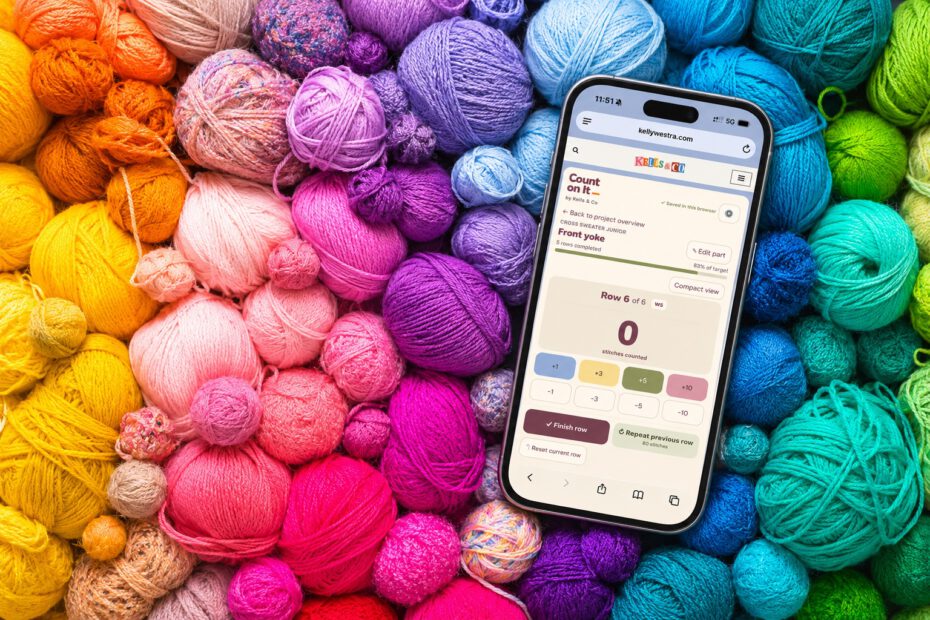
Counting is an unavoidable part of knitting and crochet. Unfortunately, remembering what I’ve counted is an entirely different skill.
For ages, I used stitchcount.xyz, a wonderfully bare-bones little website that did pretty much exactly what I needed. No account, no download, no unnecessary bells and whistles. Just a counter I could open in my browser whenever I picked up a project.
And I liked it that way.
But as I worked on more knitting and crochet projects, I started finding little things I wished it could do. A few extra features here, a slightly different way of keeping track of things there. Nothing particularly revolutionary, just the sort of small conveniences that make following a pattern a little less fiddly.
I had no intention of downloading another app. My phone has quite enough of those already, thank you very much. I wanted something browser-based, simple to use, and accessible whenever I needed it.
Then I figured that, since I already own a website and pay for hosting, I might as well make something myself. And if I was going to put it online anyway, there was no particular reason to keep it to myself.
From a counter to Count On It
I should probably clarify that, despite working for an international software company, I don’t actually know much about coding. A slightly embarrassing admission, perhaps, but there we are.
I did have a pretty clear idea of what I wanted, though, and these days there are plenty of tools that make experimenting with code a lot more accessible. So I figured I’d give it a go.
The idea wasn’t to reinvent the wheel. I liked the simplicity of the counter I was already using, and I wanted to keep that. But I also wanted a few more options for managing my knitting and crochet projects without turning the whole thing into an unnecessarily complicated system.
So I started building. And then testing. And adjusting. And testing again.
As it turns out, when you’re making something for yourself, you can become remarkably particular about things like button placement, spacing, and whether a tiny RS/WS indicator really needs to take up quite so much room.
Somewhere along the way, the little counter became Count On It.
It’s free, it runs in your browser, and it lives right here on Kells & Co. No app download or account required.
Which was rather the point in the first place.
So, what can it actually do?
Count On It is still a fairly simple stitch and row counter. I’ve added a few features along the way, mostly because I found myself wanting them while working on my own projects.
Here’s what it can do so far.
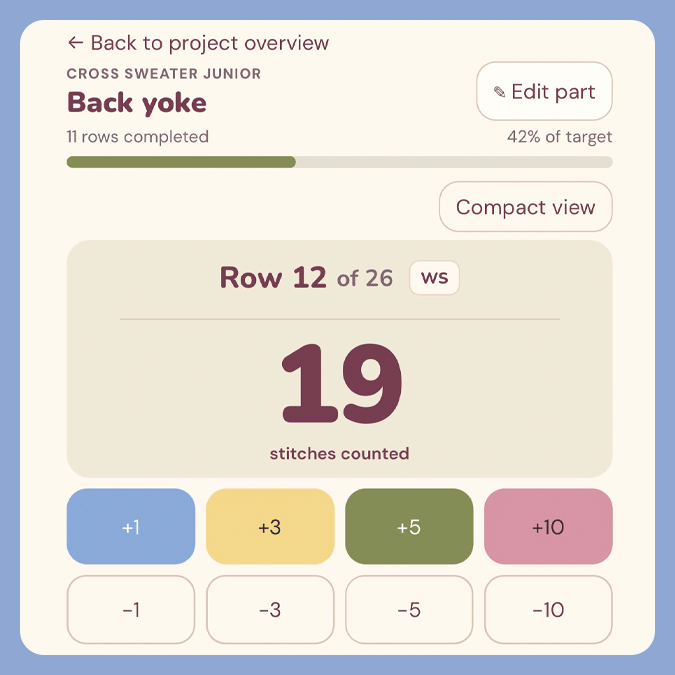
Count stitches and rows
Count individual stitches, keep track of your rows and set a target for your project. Add or subtract stitches in increments of 1, 3, 5 or 10.
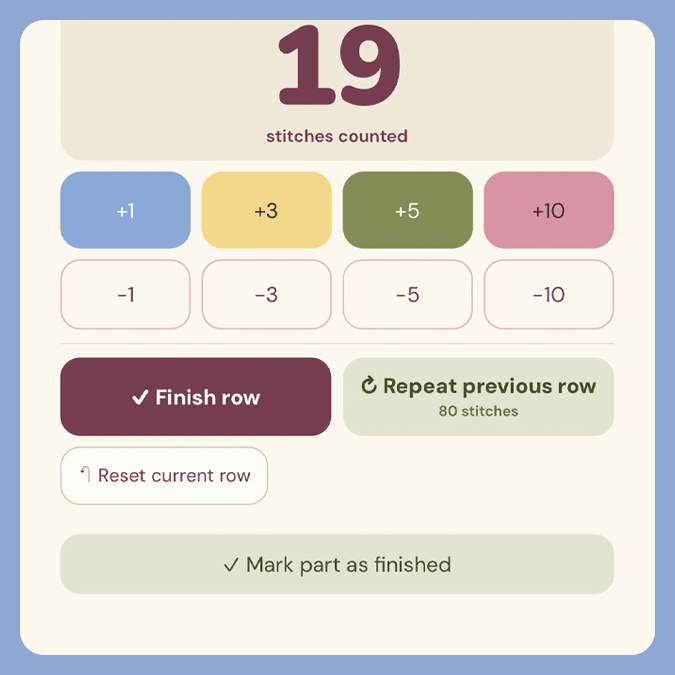
Repeating rows easily tracked
Working the same number of stitches again? Copy the previous row’s stitch count instead of counting everything from scratch.
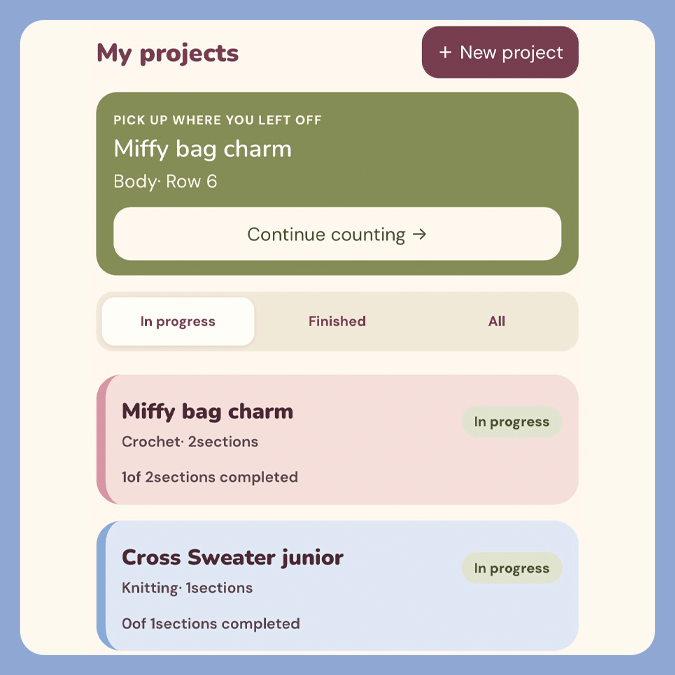
Manage multiple projects
Keep your knitting and crochet projects in one place. Give each project a name, organise it into sections and pick up where you left off.
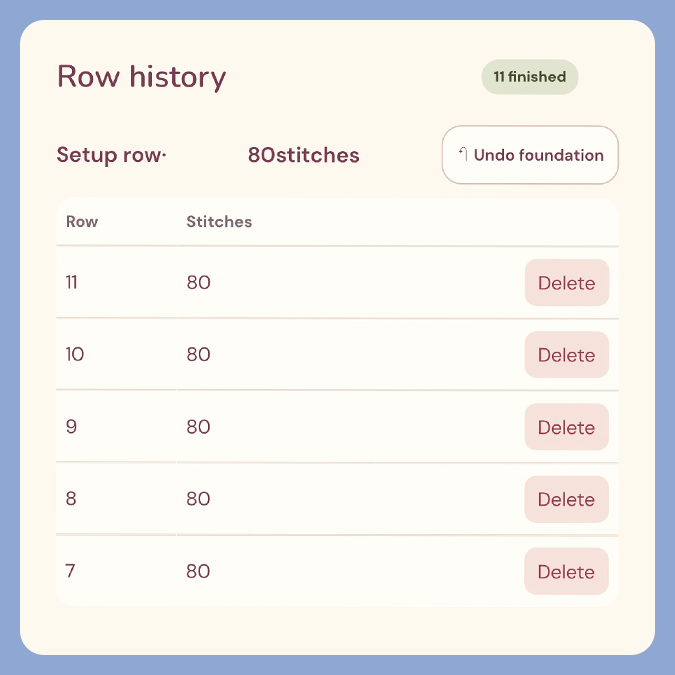
Review your row history
See exactly what you’ve counted in previous rows. Handy when you lose track of where you are or need to check your progress.
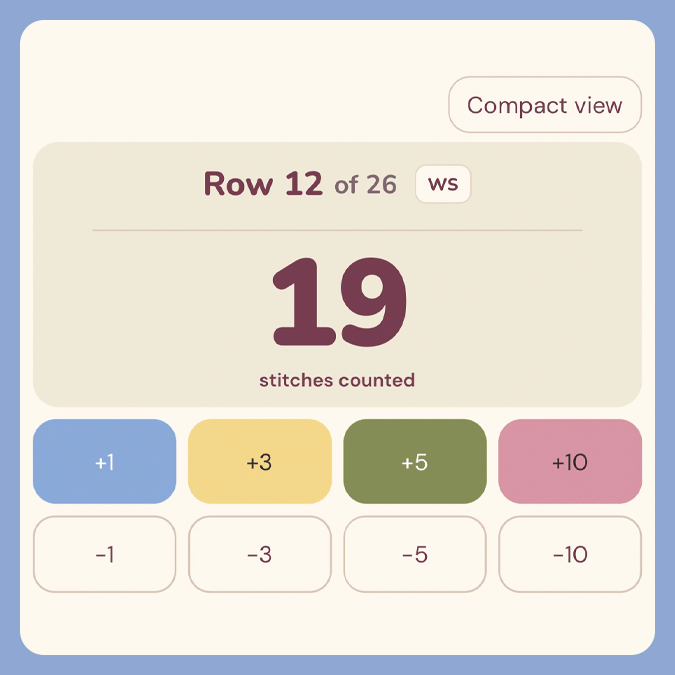
Keep track of RS/WS
A little RS/WS indicator helps you remember which side of your knitting you’re working on. It updates automatically as you move through rows, and you can correct it manually.
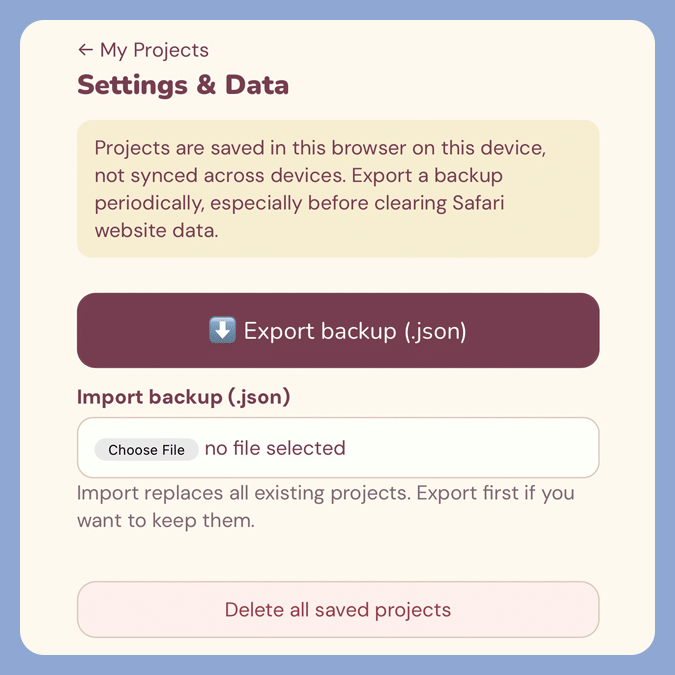
Save and back up projects
Your projects are saved locally in your browser, without needing an account. Export a backup file to keep your progress safe or move it to another device.
Made for actual projects
One of the nice things about making something for yourself is that you get to test it under fairly realistic conditions. I’ve been using Count On It for my own knitting and crochet projects since I started building it, and quite a few of the changes have come from noticing something mildly irritating while using it.
Some of those changes have been fairly small. Making the buttons easier to tap with one hand, for example, or keeping the stitch count visible without having to scroll around. Things that seem obvious once you’re actually using the app, but that I hadn’t necessarily considered beforehand.
I’ve also been using it on my iPad, with my pattern open on one side of the screen and Count On It on the other. I particularly like this setup because I can follow the pattern and update my counter without switching between tabs. Getting the layout to work properly in a smaller window took a bit of fiddling, but that’s rather the point of making something for yourself.
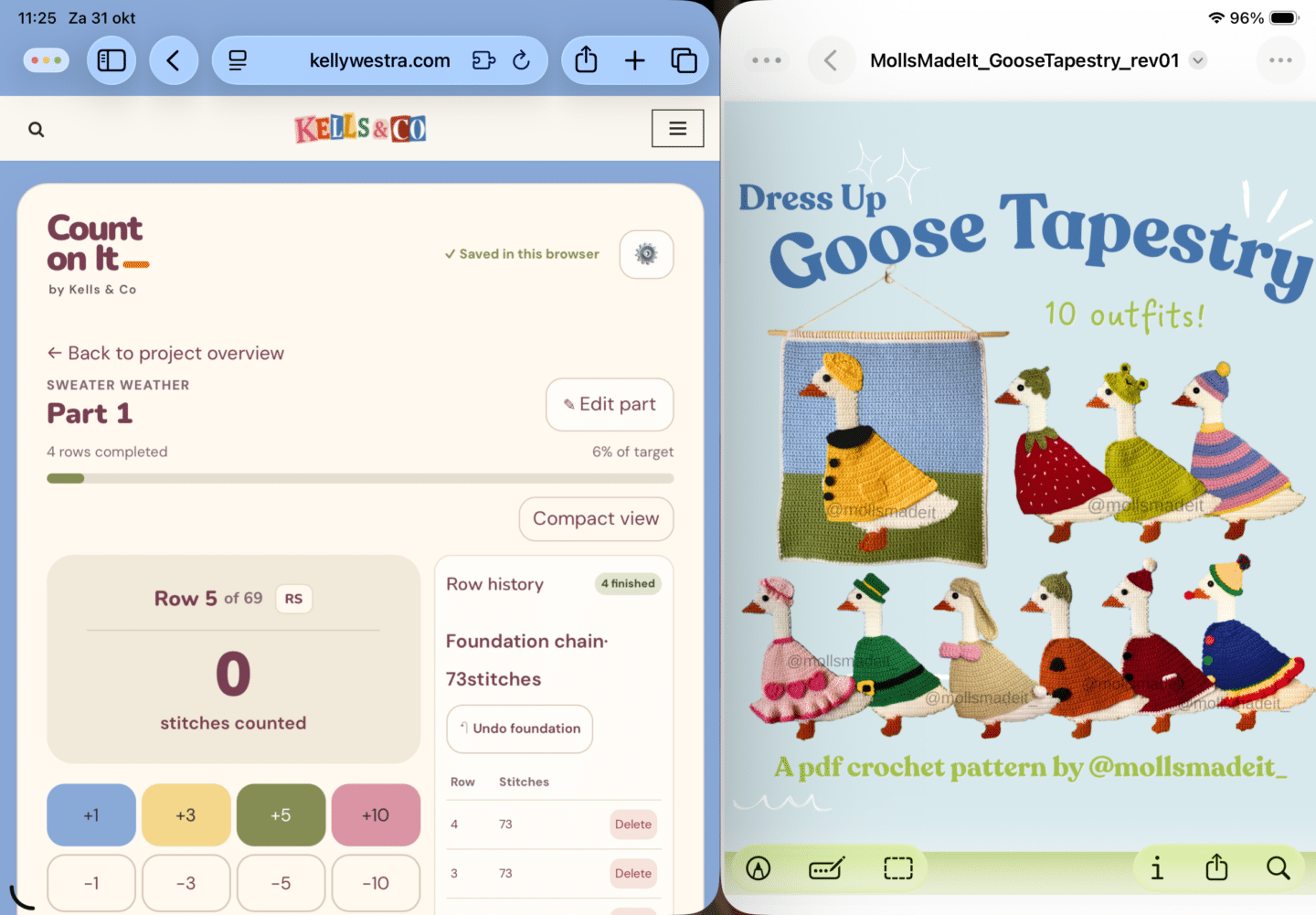
Count On It alongside a crochet pattern on my iPad. The goose tapestry is SO cute, by the way. You can find it on Molls’ Etsy
I still find things I’d like to change, usually while I’m in the middle of using it. At least I know the person responsible for fixing them.
A work in progress, much like everything else around here
But I also don’t want to keep adding features just because I can. The whole appeal of a browser-based counter is that it’s quick, simple, and doesn’t demand much attention.
Ideally, you open it, count your stitches or rows, and get back to whatever you’re making.
It doesn’t need to be more complicated than that.
Give it a go
If you knit, crochet, or simply find yourself counting things more often than you’d like, Count On It is free to use.
There’s nothing to download, no account to create, and no complicated setup. Just open it in your browser, start a project, and get counting.
And if you give it a try and find something that could work better, I’d genuinely like to hear about it.
After all, this entire thing exists because I thought a perfectly functional stitch counter could use a few extra features. Apparently, that’s how these things start.